
FluidControl Plus License
899,00 € – 1.545,00 €
excl. VAT plus Shipping Costs
Set your target flow rate. Let the system take care of the rest.
FluidControl Plus adds closed loop flow rate control to Bartels FluidicStudio, allowing you to set, monitor and maintain your desired flow rate.
- Set a target flow rate or pressure
- Real time monitoring of flow rate and pressure
- Closed loop control based on sensor feedback
- Choose 1, 3, 5 or Unlimited channels to match your setup
Delivery time: 1 - 3 working days
- Description
- License Options
- Contents
- Specifications
- Additional information
- Product safety
- Documentation
- Additional Software Information
Turn your FluidCube setup into a closed loop flow control system.
The FluidControl Plus License is an optional add-on for Bartels FluidicStudio that adds closed loop flow rate control to your FluidCube configuration.
Instead of manually adjusting pump parameters to reach the required flow rate, you define the target flow rate and activate the control. FluidControl Plus uses real time sensor feedback to continuously monitor the system and adjust the control accordingly.
The result is a more direct way to work with the parameter that actually matters for many applications: the desired flow rate.
Benefits
Control the result, not just the pump settings.
FluidControl Plus adds an additional level of control to FluidicStudio by combining target values with real time measurement and feedback.
- Set the desired flow rate directly instead of relying only on pump parameters
- Enable closed loop control using real time sensor feedback
- Monitor flow rate and pressure directly in Bartels FluidicStudio
- Track system behavior over time using the integrated flow rate and pressure graph
- Choose the number of control channels according to your application
- Expand your license as system requirements grow
Features
Closed loop control integrated into Bartels FluidicStudio.
FluidControl Plus adds a dedicated control and monitoring interface to the software.
- Set a target flow rate in µl/min
- Set a target pressure in mbar
- Activate or deactivate closed loop control
- Monitor the current flow rate and pressure in real time
- Follow changes using the integrated Flow Rate & Pressure Graph
- Select the required control type
- Available for 1, 3, 5 or Unlimited channels
- Designed for use with compatible FluidCube configurations
How It Works
Set. Monitor. Control.
In the FluidControl Plus interface within Bartels FluidicStudio:
- Select the required Control Type.
- Enter the desired target flow rate or target pressure.
- Apply the target value.
- Activate closed loop control.
- Monitor current flow rate and pressure in real time.
- Use the Flow Rate & Pressure Graph to follow system behavior over time.
Applications
For applications where maintaining a defined flow rate matters.
- Precision dosing
- Perfusion systems
- Laboratory automation
- Diagnostic systems
- Analytical instruments
- Process control
- Research and development
- Multi-channel fluid handling
Choose the license that matches the number of channels in your setup.
You do not need to license more channels than your application requires.
| License | FluidCube hardware requirement |
|---|---|
| FluidControl Plus | 1 Channel | FluidCube | Base |
| FluidControl Plus | 3 Channels | FluidCube | Base + FluidCube | Scale |
| FluidControl Plus | 5 Channels | FluidCube | Base + FluidCube | Scale |
| FluidControl Plus | Unlimited | FluidCube | Base + the number of FluidCube | Scale extensions required for the application (the FluidCube ecosystem supports up to 8 extension boards) |
| No. | Item | Qty |
|---|---|---|
| 1 | FluidControl Plus License | 1 |
| Parameter | Description |
|---|---|
| Product type | Software license |
| Software | Bartels FluidicStudio |
| Function | Closed loop flow rate and pressure control |
| Flow rate unit | µl/min |
| Pressure unit | mbar |
| Control | Target value based closed loop control |
| Monitoring | Real time flow rate and pressure monitoring |
| Visualization | Flow Rate & Pressure Graph |
| Available license options | 1 Channel, 3 Channels, 5 Channels, Unlimited |
| 1 Channel hardware requirement | FluidCube | Base |
| 3 Channel hardware requirement | FluidCube | Base + FluidCube | Scale |
| 5 Channel hardware requirement | FluidCube | Base + FluidCube | Scale |
| Unlimited hardware requirement | FluidCube | Base + FluidCube | Scale extensions according to application requirements |
Additional information
| Channels | 1 Channel, 3 Channels, 5 Channels, Unlimited |
|---|
With the official order of the software the customer agrees that the right of withdrawal expires with immediate effect with the order confirmation and fulfillment of the order (sending of the license key).
Configure Your Microfluidic System
-

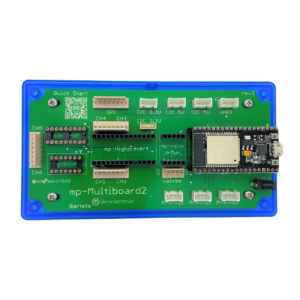
mp-Multiboard2 Evaluation Board
316,00 €excl. VAT
plus Shipping Costs
Delivery time: Product discontinued
Read more
Related products
-
Pump Driver for Bartels Micropumps
75,00 € – 207,00 €excl. VAT
plus Shipping Costs
Delivery time: 1 - 3 working days
Select options This product has multiple variants. The options may be chosen on the product page -
mp-valvedriverS for Bürkert Valves
109,00 €excl. VAT
plus Shipping Costs
Delivery time: 1 - 3 working days
Add to basket -
mp-valvedriverM for Memetis Valves
109,00 €excl. VAT
plus Shipping Costs
Delivery time: 1 - 3 working days
Add to basket -
mp-valvedriverS for Festo Valves
109,00 €excl. VAT
plus Shipping Costs
Delivery time: 1 - 3 working days
Add to basket